Accessible Educational Materials & PDF Production

Make curriculum, teacher guides, workbooks, reports, and digital documents easier to navigate, understand, and use. Flip180 helps education organizations build accessibility into document structure, visual design, templates, and production from the beginning.


Accessibility Works
Best When It Starts
With the System

Accessibility should not be treated as a final check after a document has already been designed. Decisions about headings, reading order, color, tables, images, links, and navigation affect how people experience the material from the beginning.

Flip180 brings accessibility considerations into the design and production process. We create structured templates, prepare new documents, and help remediate existing PDFs based on your organization’s requirements.

The result is a clearer production system that supports more people and makes future updates easier to manage.

How We Support Accessible Educational Materials

Accessible Curriculum Templates
Build reusable teacher guide, student workbook, course book, report, and training templates with consistent heading levels, styles, page structures, and content patterns.
Document Structure & Navigation
Organize long educational documents with clear headings, logical sections, useful bookmarks, descriptive links, and navigation that helps people find content efficiently.
Reading Order & PDF Tagging
Prepare document structure so text, headings, lists, images, tables, and other elements can be interpreted in a meaningful order by assistive technology.
Images, Charts & Alt Text Planning
Identify images that need descriptions, separate meaningful visuals from decorative elements, and help your team plan useful alternative text for charts, diagrams, illustrations, and instructional graphics.
Color & Visual Accessibility
Review color contrast, typography, text size, spacing, emphasis, and visual cues so important information does not depend on color or appearance alone.
Tables, Forms & Interactive Elements
Structure tables with clear headers and simple relationships. Review form fields, links, buttons, and interactive document elements for labeling, order, and keyboard use where applicable.
Accessibility Quality Assurance
Combine document review, technical checks, and manual inspection to identify issues that automated tools may miss. Testing scope is defined for each project based on the required formats and standards.
Existing PDF Remediation
Review and improve existing PDFs by correcting structure, headings, lists, reading order, tags, links, tables, images, and document properties where the source files and project scope allow.

Start Accessible or Improve What You Already Have

New Document Production
Accessibility is easier to support when the source document, template, and component system are planned correctly. We can build accessibility considerations into the design before full production begins.
Existing Document Remediation
Already have published PDFs? We can review the documents, identify common issues, and recommend or complete practical remediation based on the quality of the source files and the intended use.
Reusable Production Systems
For organizations that publish frequently, we can create templates, component rules, checklists, and workflows that help internal teams produce more consistent materials over time.

Digital Accessibility Is
Becoming a Larger
Institutional Priority

Public schools, community colleges, public universities, and other state and local government entities are preparing for updated digital accessibility requirements under Title II of the Americans with Disabilities Act.

Current U.S. Department of Justice guidance generally lists compliance dates of Apr 26, 2027 for public entities with populations of 50,000 or more, and Apr 26, 2028 or smaller entities and special district governments. The guidance explains that web content can include documents made available online and identifies WCAG 2.1 Level AA as the technical standard for covered web content and mobile apps.

Requirements, exceptions, and responsibilities can vary. Organizations should review the current ADA.gov guidance and consult their legal or accessibility teams when determining their obligations.

Flip180 supports the design and production work needed to improve educational documents. We do not provide legal advice or guarantee compliance. 

Our Accessible Document
Production Process

01. Review the Material
We review representative files, source documents, formats, audiences, publishing methods, and your stated accessibility requirements.
02. Identify the Main Issues
We evaluate document structure, navigation, reading order, images, tables, color use, links, forms, and other elements included in the agreed scope.
03. Create the Production Plan
We define which issues should be corrected in templates, source files, component systems, or final PDFs. For large document libraries, we help prioritize the work.
04. Design or Remediate
Our team updates the structure, visual system, source materials, and final documents based on the approved plan.
05. Test & Review
We perform the agreed technical and manual quality checks, document any remaining limitations, and coordinate review with your internal accessibility team or third-party auditor when required.
06. Deliver & Support
We deliver the completed files along with relevant templates, findings, or production guidance. Ongoing support is available for revisions, new editions, and additional materials.
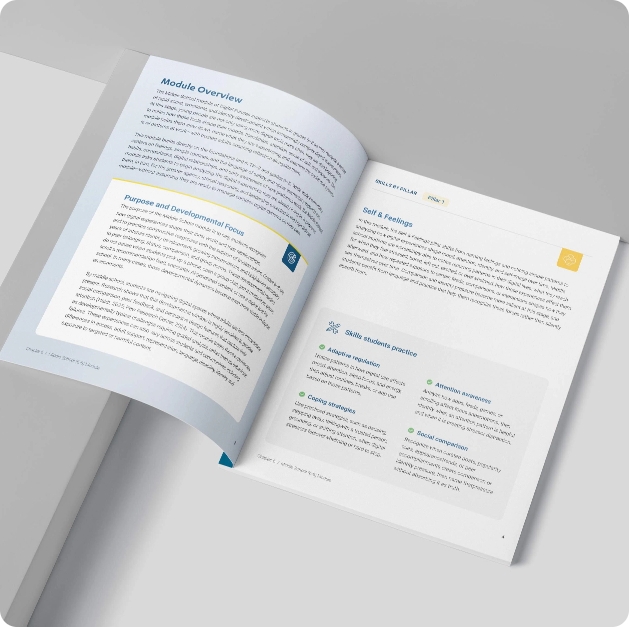
Accessible document project example

What Your Project
Can Include

  • Document accessibility review
  • Issue summary and production recommendations
  • Accessible curriculum or publication templates
  • Structured heading and paragraph styles
  • Navigation and bookmark planning
  • Reading order review
  • PDF tagging and structure updates
  • Table and list structure updates
  • Image and alt text inventory
  • Color and contrast review
  • Link and form-field review
  • Remediated PDF files
  • Quality assurance checklist
  • Template and workflow documentation
  • Guidance for future updates
Every project is scoped around the condition of the source
files, the number of documents, the required formats, and
the organization’s accessibility requirements.

Educational Content Across Print & Digital Formats

We can support:
  • Curriculum materials
  • Teacher guides
  • Facilitator manuals
  • Student workbooks
  • Course books
  • Training manuals
  • Certification materials
  • Educational reports
  • Research publications
  • Activity sheets
  • Downloadable resources
  • Forms and applications
  • Print-ready documents
  • Digital PDFs
  • Materials prepared for LMS delivery
  • Collaboration

Built to Work With Your
Accessibility Team

Accessibility often involves content owners, designers, developers, compliance teams, disability-services staff, legal counsel, and outside auditors.

Flip180 focuses on document design and production. We can work within requirements provided by your organization and coordinate with the specialists responsible for legal interpretation, formal audits, user testing, or accessibility certification.

This creates a clearer division of responsibilities and a more dependable production process.

Make Accessibility Part of Your Publishing Workflow
Book a free strategy call to discuss your materials, source files, accessibility requirements, and production goals. We will help you identify the right starting point for new documents, existing PDF remediation, or a reusable accessibility-focused template system.
Frequently asked questions

Yes. We can review existing PDFs and remediate issues included in the agreed project scope. The amount of work depends on the document structure, source-file quality, tables, images, forms, and other content.

Is it better to remediate a PDF or rebuild it from the source file?

It depends on the document. When reliable source files are available, correcting the structure and templates before generating a new PDF can be more efficient and easier to maintain. Some documents can be remediated directly in PDF form.

What is a tagged PDF?

A tagged PDF contains structural information that identifies elements such as headings, paragraphs, lists, tables, links, and images. This structure can help assistive technology interpret and navigate the document.

Do you write alternative text for images?

We can help identify which images need alternative text and assist with drafting descriptions. Subject-specific or instructional descriptions should be reviewed and approved by the client’s content experts.

Can you create templates our internal team can reuse?

Yes. We can create document templates, component rules, style guidance, and production checklists that support more consistent future publishing.

Can you work with our accessibility consultant or auditor?

Yes. We can coordinate with your internal accessibility team or an independent specialist and address documented production issues within the approved scope.

Are automated accessibility checkers enough?

Automated tools are helpful, but they cannot evaluate every issue or fully understand the meaning and context of educational content. A strong review process often combines automated checks, manual inspection, and specialist or user testing when required.

Industry Leaders Trust Flip180 to Deliver
"Flip180 has been an essential, trusted extension of our team, handling design, websites, SEO, IT, and growth strategy."
0:48 min
Abbe Miller
Vice President/Publisher/
Editor-in-Chief
Star Star Star Star Star
The Flip180 team was outstanding to work with. They provided a wealth of experience to draw from and remained flexible to our needs. We highly recommend.
Dane Folster
The Lead magazine
Create Educational Materials That Work
for More People
Start with a document review, remediate an existing PDF, or
build a reusable system for future curriculum and
publications.
Subscribe to our newsletter
Let us help you create curriculum materials that stand out and support better learning outcomes.